01
Begin with your EQ
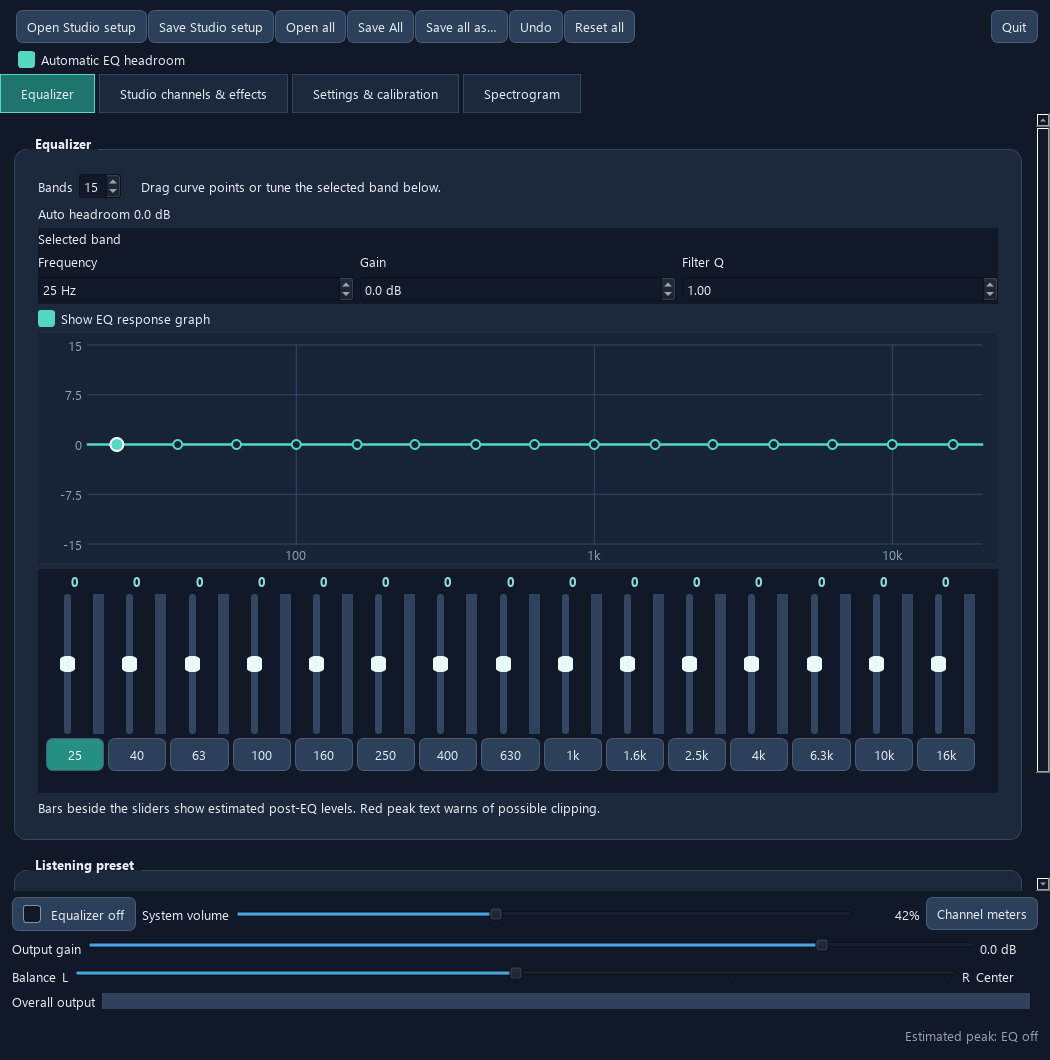
Shape the overall response on Equalizer before adding channel adjustments and effects.
FREE / OPEN SOURCE / DESKTOP AUDIO
Take control of channels and effects.
Explore SoundCurrent Studio: desktop EQ, channel mixing, routing, delay, reverb and dynamics. Find requirements, setup help and official GitHub releases.
A CLOSER LOOK
01
Shape the overall response on Equalizer before adding channel adjustments and effects.
02
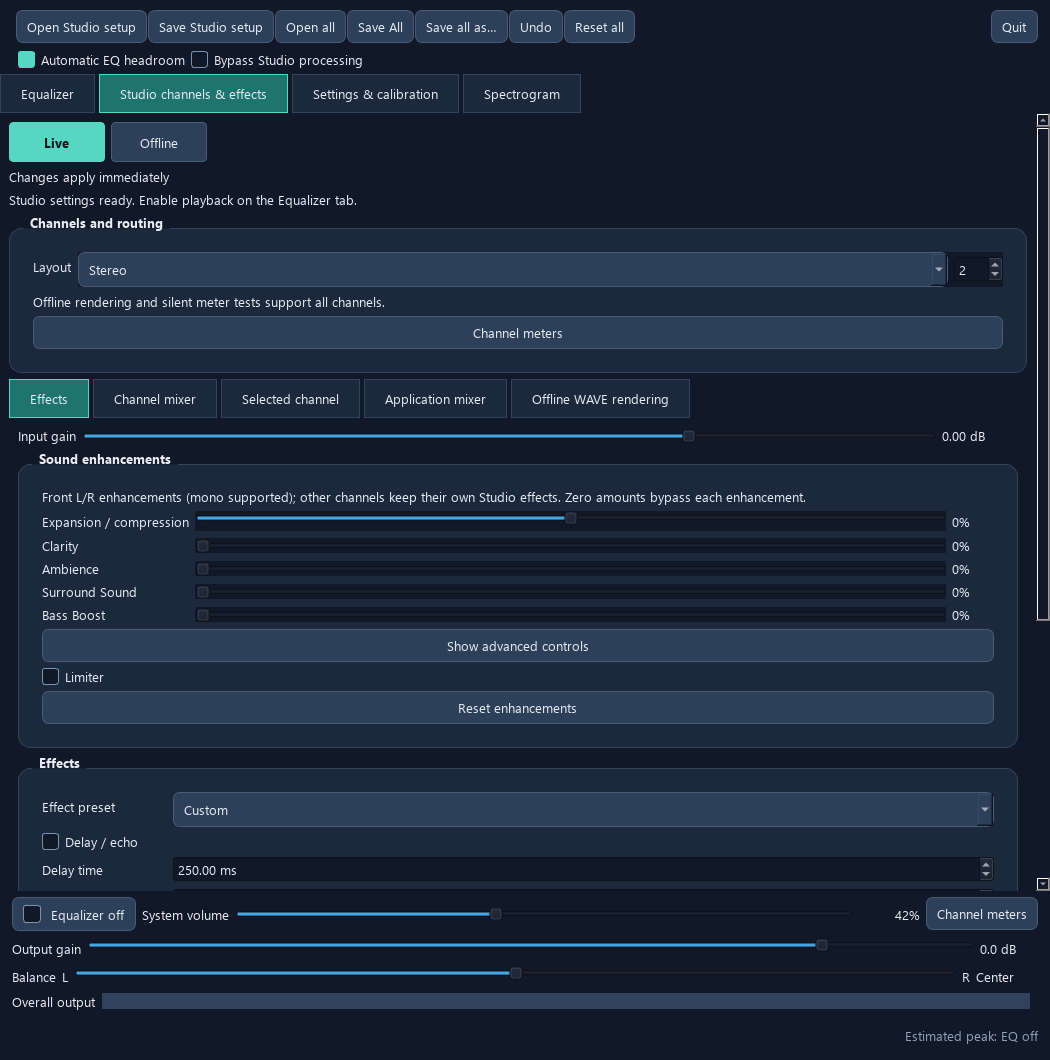
Channels & effects brings together channel gain, mute, solo, routing, delay, reverb and dynamics. Device and backend capabilities determine live channel support.
03
Studio supports live and offline editing. Opening a saved setup stages it for review; use Apply settings when you are ready. See the Studio guide for the exact workflow.
CHECK YOUR PLATFORM FIRST
Linux packages are available for supported distributions. Check the guide for requirements.
Windows is not fully supported yet. Current installers use VB-CABLE, which introduces unwanted latency. The apps and installers are unsigned. A native Windows driver is in development; keep Secure Boot enabled.
A macOS version is planned. No supported macOS download or release date is available yet.
Documentation and releases are maintained on GitHub. Screenshots are interface previews, not audio measurements or proof of compatibility with every device.
Both apps are freely available. Optional contributions help fund development.